Haptic design
HapticsLab. Designing haptics you can feel before you build them
A free iPhone app for feeling, tuning and designing haptics. It began as the test bench for the Polaris v2 haptic language and grew into a tool for any app.
- Company
- Kaamos Labs
- Role
- Product Design Lead, 0-1
- Dates
- 2026
- Scope
- Product design, haptic system, HTML prototype, iOS app
- Tools
 Figma
 Claude Code
 GitHub
 Perplexity
 Cursor
 Confluence
 Jira
01
Context
Most apps design haptics last. They live in code, named after an API rather than a feeling, and nobody feels them until a build is on a phone.
Designing the haptic language for Polaris v2 made the gap obvious: a spec can describe a haptic, but it cannot let you feel one. HapticsLab was built to close that gap, first for Polaris, then for any app.
02
The problem
- design tools show haptics as words, never as touch
- iOS names them by code (Impact · Rigid), not by how they feel
- custom patterns are AHAP files, JSON written by hand
- the spec and the build drift, and nobody notices until it ships
- the simulator has no haptic motor, so only a real iPhone tells the truth
03
The shift
Put haptics in the designer’s hand. Play one, tune it, save it to the app it belongs to, and hand off the exact code, all on the phone that will play it.
04
The app
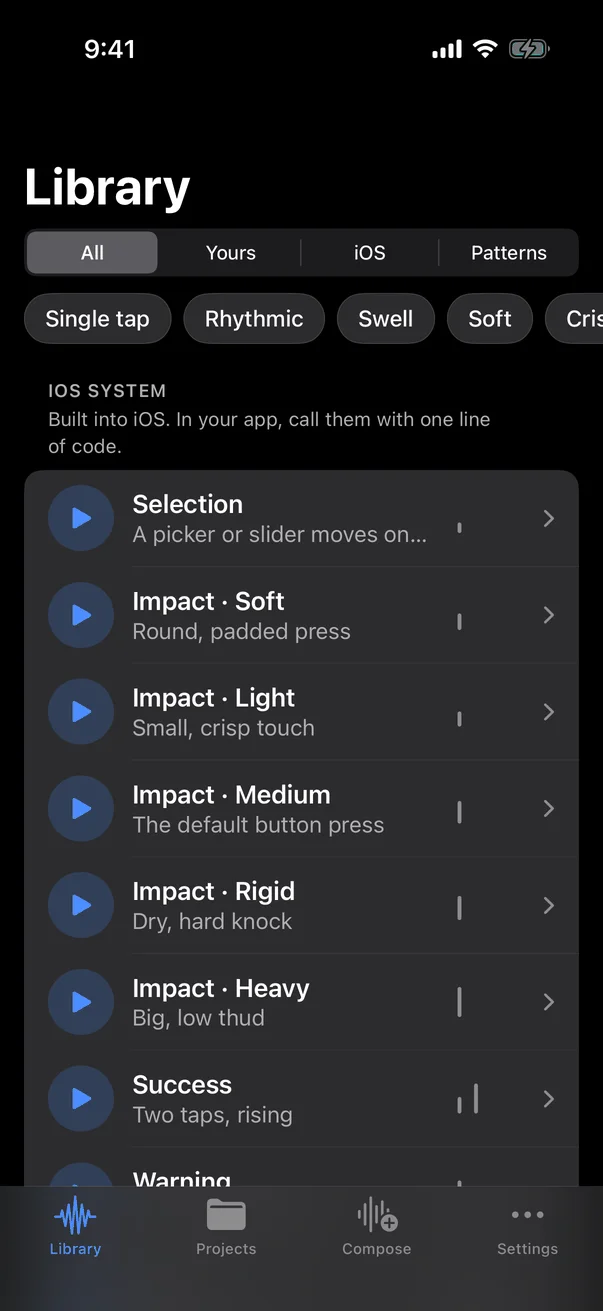
Four tabs, free, with no account and no paywall. Everything stays on the device.
- 01
Library: start from a feeling
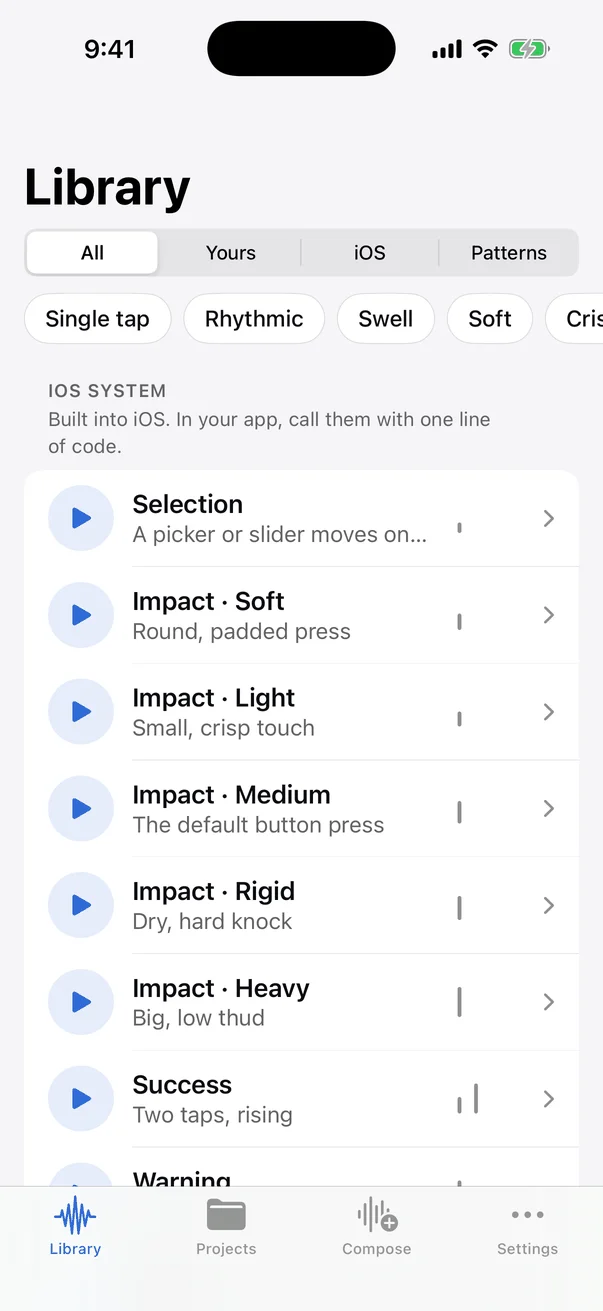
The nine iOS system haptics and sixteen ready-made patterns, from Heartbeat and Countdown to Sparkle and Drum roll. Each has one line on how it feels, and filters by feel: Single tap, Rhythmic, Swell, Soft, Crisp, Heavy.
- one tap on any row to play it
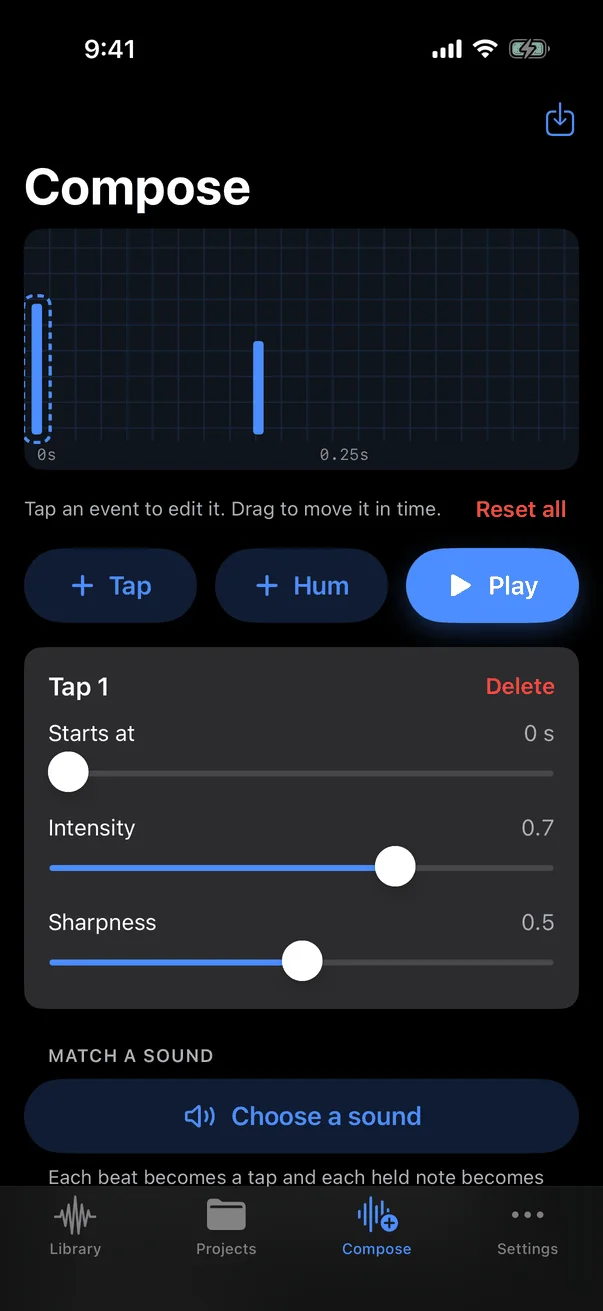
- a timeline of every tap and hum
- sliders for intensity and sharpness, marked Tuned until reset
- copy as Swift or AHAP, ready to paste
- 02
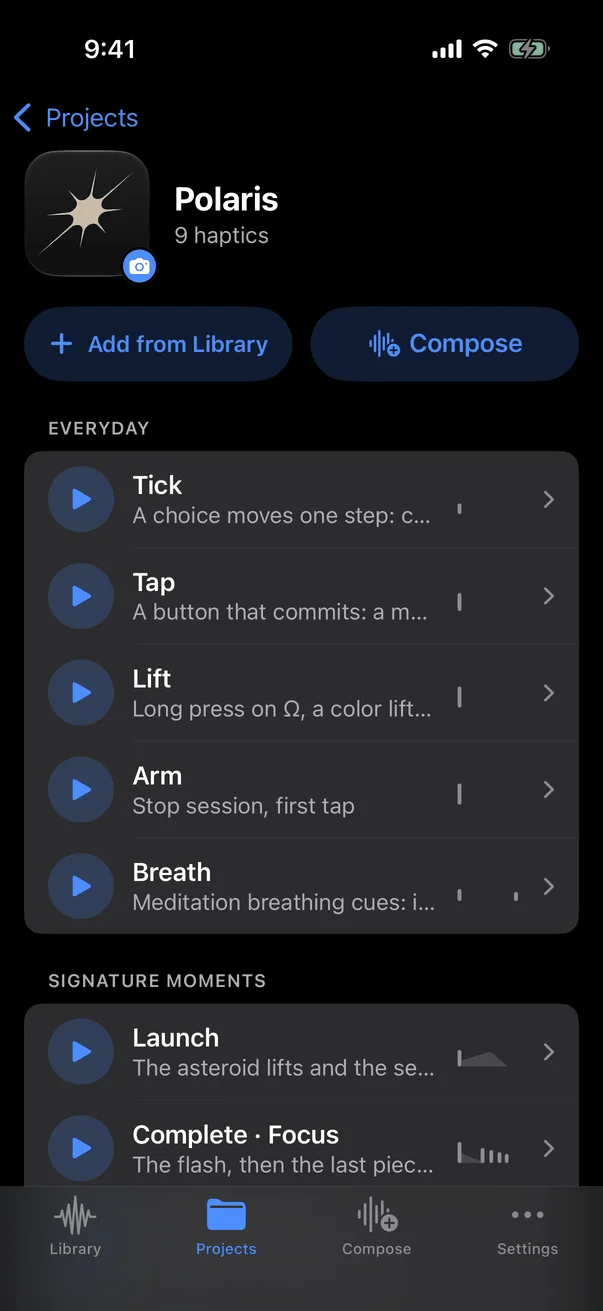
Projects: one folder per app
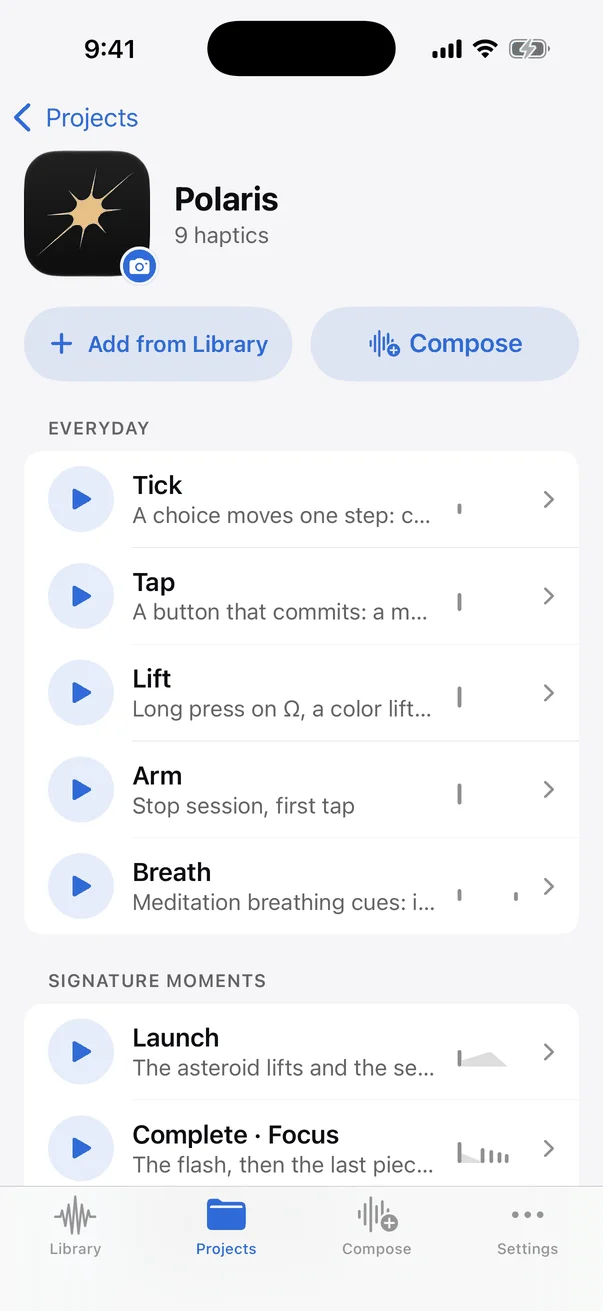
Each project has its app’s icon, and holds its haptics in groups, each noted with where it plays. Add from the Library or compose a new one. Polaris comes built in as the worked example.
- 03
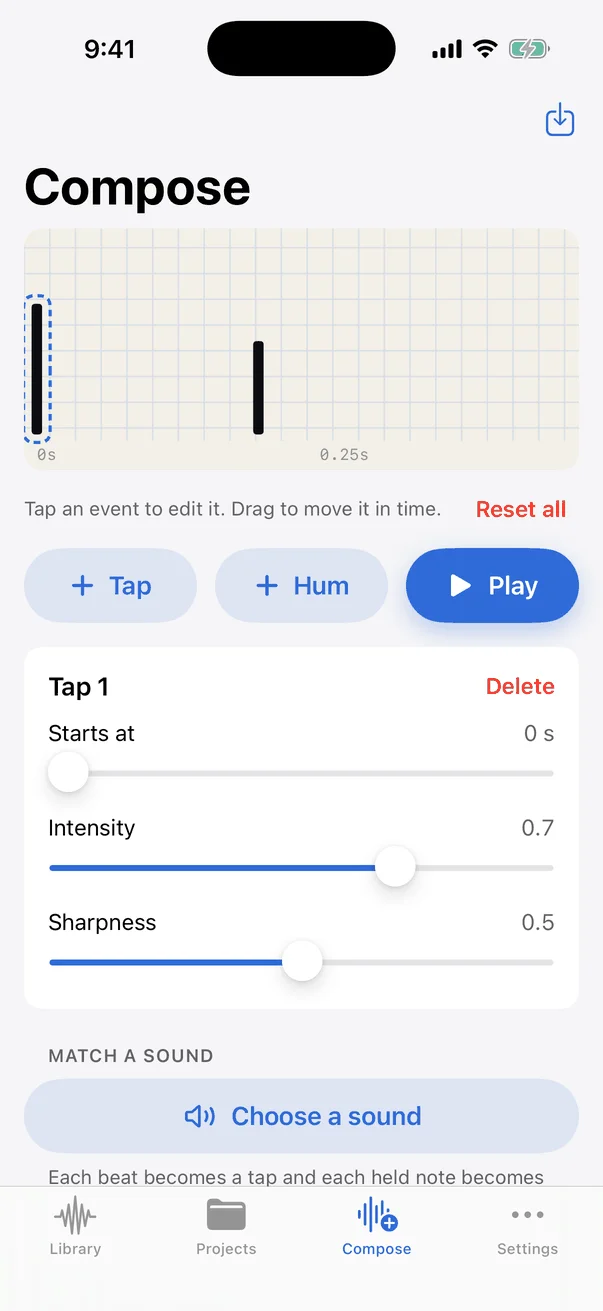
Compose: three ways in
- Build: add taps and hums, drag them in time, tune each one
- Match a sound: each beat becomes a tap and each held note a hum, from the first 3 seconds
- Record a rhythm: tap a pad and the taps land in the timeline
It also imports AHAP files. Save the result to the Library or straight into a project.
05
A blueprint for touch
The look borrows from drafting paper: a fine grid, a blue line, construction marks. Timelines sit on the same blueprint paper, so a haptic reads like a drawing you can play.
- Trace splash, 1.8 s: a grid appears, a playhead traces the waveform, then the draft lines settle around it. A matching pattern plays with it, so you feel the wave as it is drawn.
- Reduce Motion: the splash shows its last frame and moves on.
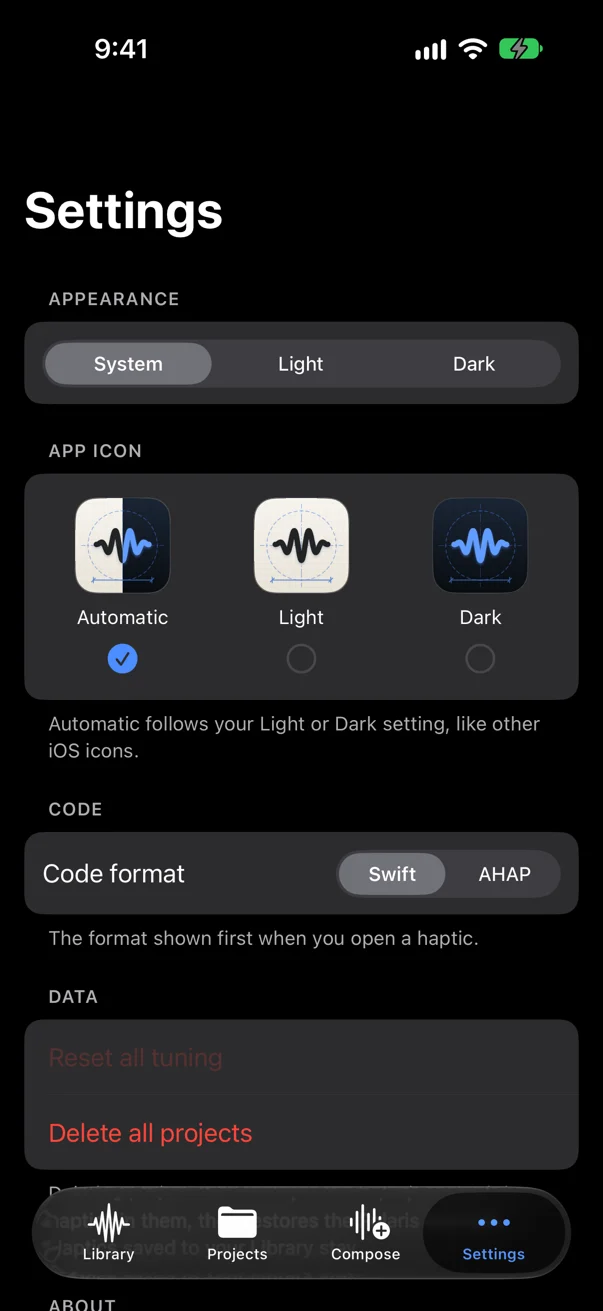
- App icon: a glass waveform in Light, Dark and Tinted; Settings lets you pick Automatic, Light or Dark.
06
The worked example: Polaris
Polaris is a focus app with no timers, streaks or visible metrics. Haptics are the easiest place to bring urgency back in: a pulse that keeps time, a nudge to return, a buzz that rewards the right answer. Its library was designed to avoid all three, and it ships inside HapticsLab as the example project.
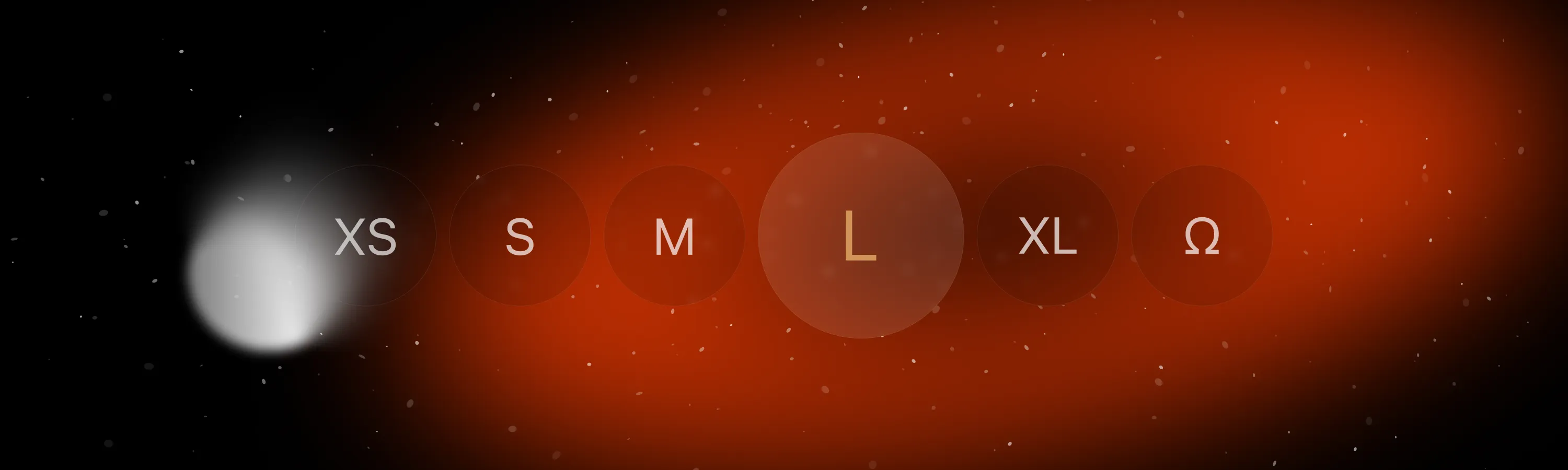
Nine named haptics cover the whole app. Five everyday touches use the iOS feedback generators. Four signature moments are Core Haptics patterns, each in step with an animation that already exists.
Everyday
| Haptic | iOS | When it plays |
|---|---|---|
| Tick | Selection | A choice moves one step: the carousel settles, a size or chip is picked, a wheel row passes. |
| Tap | Soft impact · 0.6 | A button that commits: a mode, a check-in answer, Done, Save, Play. |
| Lift | Light impact · 0.7 | A long press on Ω, or a color lifted from the tray to drag. |
| Arm | Rigid impact · 0.7 | The first tap on Stop session, as the button turns gold. |
| Breath | Soft impact · 0.4 / 0.3 | Breathing cues in Meditation: a tap at “Breathe in”, a fainter one at “Breathe out”. |
Signature moments
tapswellDashed lines mark the 0.3 floor and 0.7 ceiling. Drawn from the shipped AHAP files.
The asteroid lifts and the session starts. A press, then a low swell that rises and settles, in step with the ambient fade-in.
A Focus session ends. A bright tap with the flash, then four fainter taps as the last pieces fall.
Meditation and Relaxation end. A soft tap that blooms outward with the burst of light. Relaxation plays it at 85%.
Your Focus Journey reveal. A faint swell builds with the tick ring and closes on one clear tap as the trophy appears.
07
Polaris rules
- 01
Haptics answer touch
Each haptic follows something the person just did, or marks the start and end of a session. Never a reminder, a nudge, a countdown or a pulse that keeps time. Opening sheets, toasts, screen changes and Back have none.
Result: touch confirms intent instead of asking for attention.
- 02
Quiet during a session
Inside a running session only Launch and Complete play, plus taps inside the session menu while it is open.
Result: the session itself stays silent to the hand.
- 03
Never reward an answer
Mostly and Not really both play Tap. The recall result has no haptic, so any count feels the same, and a miss has none. No success or error haptics anywhere.
Result: the check-in stays honest, because no answer feels better than another.
- 04
Soft ceiling, firm floor
No event goes above intensity 0.7 or below 0.3, and sharpness stays at 0.2 or more. Patterns play no audio, and at most one Tick plays every 50 ms, so a fast flick never buzzes.
Result: every haptic is gentle, and every haptic still reads through a phone case.
- 05
Never the only signal
Every haptic pairs with something on screen, and the whole app works with haptics off.
- 06
Sleep and Reduce Motion come first
When the Sleep timer has turned the screen off, a session ends with no haptic. With Reduce Motion on, signature patterns shorten to one tap; Reveal keeps only its closing tap as the trophy appears.
08
Only the edges of a session
Launch marks the start as the asteroid lifts. Complete marks the end with the flash or the burst of light. Everything between is left alone.
Result: the haptics frame the focus instead of interrupting it.
09
What feeling it changed
Playing the Polaris library on a real phone changed the spec within days.
- 01
The floor went up
The lighter events were faint inside a phone case. The minimum intensity rose to 0.3 and low sharpness to 0.2, and the pattern files were exported again to match.
- 02
Breath was decided
With Breathing cues on in Meditation, a soft tap at “Breathe in” (0.4) and a fainter one at “Breathe out” (0.3), so the cue can be followed with eyes closed. It is the only haptic inside a running session, allowed because it follows a cue the person chose to turn on.
- 03
Calm, quieter for Relaxation
Meditation and Relaxation share one completion pattern. Relaxation plays it at 85%, a slightly softer ending for a softer session.
Result: that loop, play it, feel it, change it, is what the rest of HapticsLab was built around.
10
How it’s built
The HTML prototype is the design source. When the prototype and the app disagree, the prototype wins.
- 01
Prototype
every screen, light and dark
- 02
Click-through check
opens every screen, fails on breaks
- 03
iOS app
SwiftUI and Core Haptics
- 04
Cloud build
runs the app, captures screenshots
- 05
Device check
two minutes on a real iPhone
A script cannot tell what a haptic feels like, so every TestFlight build starts with a short checklist by hand: the splash hum follows the wave, each Library haptic feels like its name, tuning changes the feel, and with System Haptics off nothing plays and nothing breaks.
11
Tradeoffs
- Free, no account, everything on the device → no sync and no sharing between phones
- iPhone only → the one place haptics can be felt, but no design tool plugin
- The prototype as source of truth → two things to keep in step, checked by a script
- Polaris built in as the example → an opinionated starting point for every new user
Each one keeps the tool small and honest: it does one thing, on the device that matters.
12
Where it stands
- iOS app with Library, Projects, Compose and Settings, in Light and Dark
- 9 iOS system haptics and 16 patterns in the Library; Polaris’s nine as the example project
- HTML prototype, click-through check and cloud build with screenshots in place
- Next: TestFlight builds, each gated by the device checklist
13
Key insight
You cannot design what you cannot feel. Once haptics were in my hand, they stopped being polish and became part of the design.
14
Reflection
HapticsLab started as a way to test one library and became a product because the problem was never specific to Polaris. Every app team writes haptics blind.
- from code names → feelings
- from spec → something you can play
- from one app’s tool → a tool for any app